

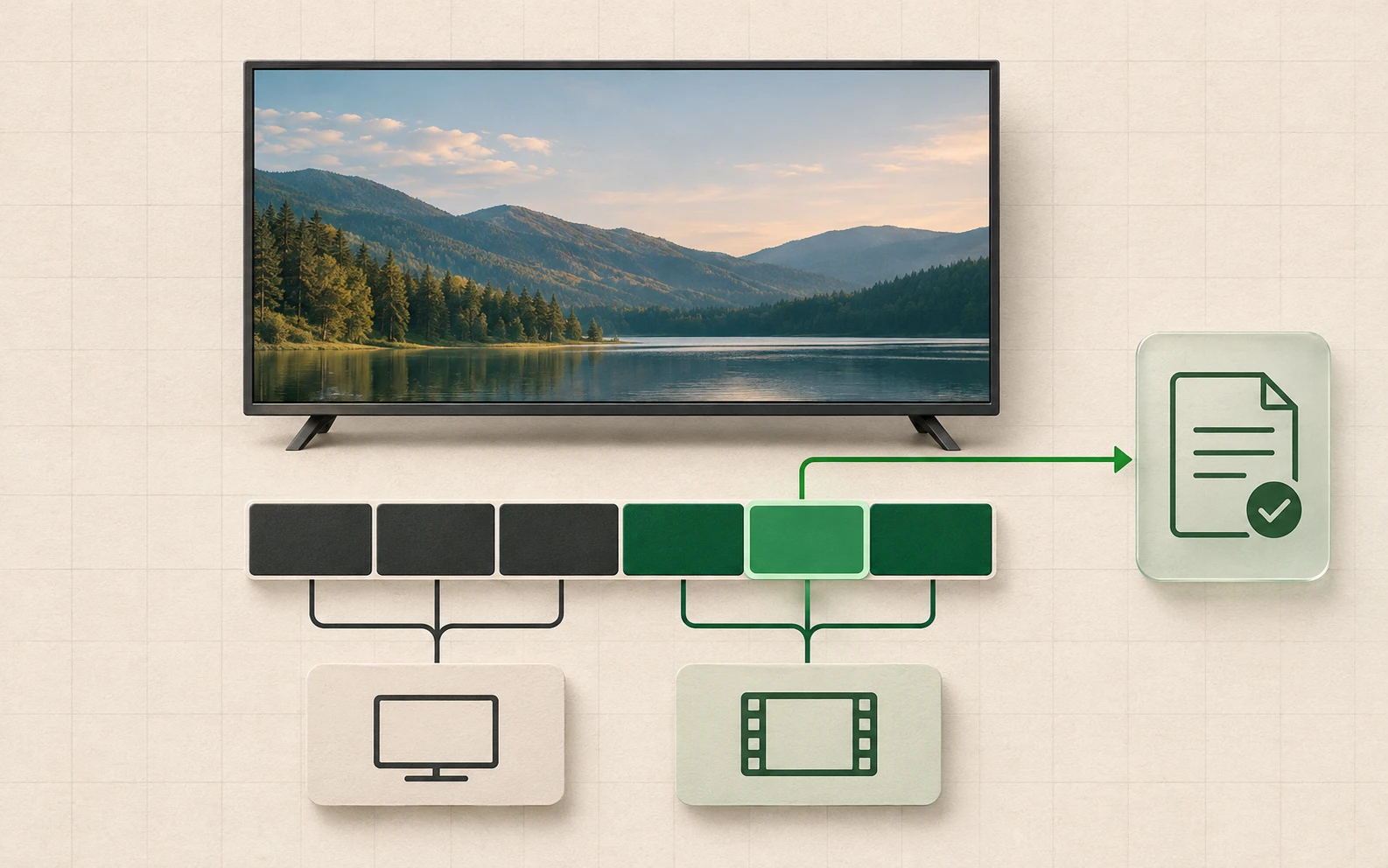
The CTV app tells a buyer where the stream is playing. inventorypartnerdomain tells the buyer whose authorization should be checked for this specific impression. It does not reveal the revenue split, and it does not prove who legally owns the whole stream.
Start with three different roles
CTV inventory sharing is easier to understand when the platform, content partner and advertising system are kept separate.
Runs the app or service where the viewer watches the stream.
Provides programming and may hold the right to monetize some ad slots.
Receives the opportunity and needs to validate the seller account.
In one commercial break, the platform may control some slots while the content partner controls others. The same app, bundle and device can therefore produce opportunities that need different authorization records.
Why InventoryPartnerDomain exists
The ads.txt specification added the inventorypartnerdomain directive in version 1.0.3, finalized in March 2021, for CTV and similar inventory-sharing arrangements. It lets an app developer list an authorized partner domain instead of copying every seller record used by that partner into the app's own app-ads.txt file.
OpenRTB 2.6 then added inventorypartnerdomain directly to the Site and App objects. The field identifies the domain of a content owner or other partner that has the right to monetize some portion of the inventory.
Platform domain: where the stream is playing.
InventoryPartnerDomain: whose authorization file applies to this opportunity.
The domain must agree in two places
A buyer should see the same partner domain in the app developer's app-ads.txt file and in the bid request. One is the standing authorization; the other identifies the partner for this opportunity.
inventorypartnerdomain=northstar-news.exampleHarbor Stream declares Northstar News as an inventory partner.
app.inventorypartnerdomainThe opportunity says that Northstar News's authorization path applies.
Harbor Stream, Northstar News and Verdant Relay are invented names. Their .example domains and all seller IDs below are reserved or fictional and do not represent real companies or commercial relationships.
Example one: the platform controls the opportunity
Assume the app store listing for Harbor Stream names harbor-stream.example as the developer domain. For a platform-controlled slot, Harbor Stream's app-ads.txt contains the advertising system and account that sell its inventory.
verdant-relay.example, HSTV-2001, DIRECT{
"id": "ctv-platform-001",
"imp": [
{
"id": "1",
"video": {
"mimes": ["video/mp4"],
"w": 1920,
"h": 1080
}
}
],
"app": {
"name": "Harbor Stream",
"bundle": "harbor-stream-tv",
"storeurl": "https://catalog.example/apps/harbor-stream-tv",
"domain": "harbor-stream.example",
"publisher": { "id": "HSTV-2001" }
}
}Example two: the content partner controls the opportunity
Now assume Northstar News supplies a channel inside the same Harbor Stream app and controls three slots in the break. Harbor Stream does not need to duplicate Northstar News's seller records. It declares the partner domain instead.
inventorypartnerdomain=northstar-news.exampleverdant-relay.example, NSN-4402, DIRECT{
"id": "ctv-partner-002",
"imp": [
{
"id": "1",
"video": {
"mimes": ["video/mp4"],
"w": 1920,
"h": 1080
}
}
],
"app": {
"name": "Harbor Stream",
"bundle": "harbor-stream-tv",
"storeurl": "https://catalog.example/apps/harbor-stream-tv",
"domain": "harbor-stream.example",
"inventorypartnerdomain": "northstar-news.example",
"publisher": { "id": "NSN-4402" }
}
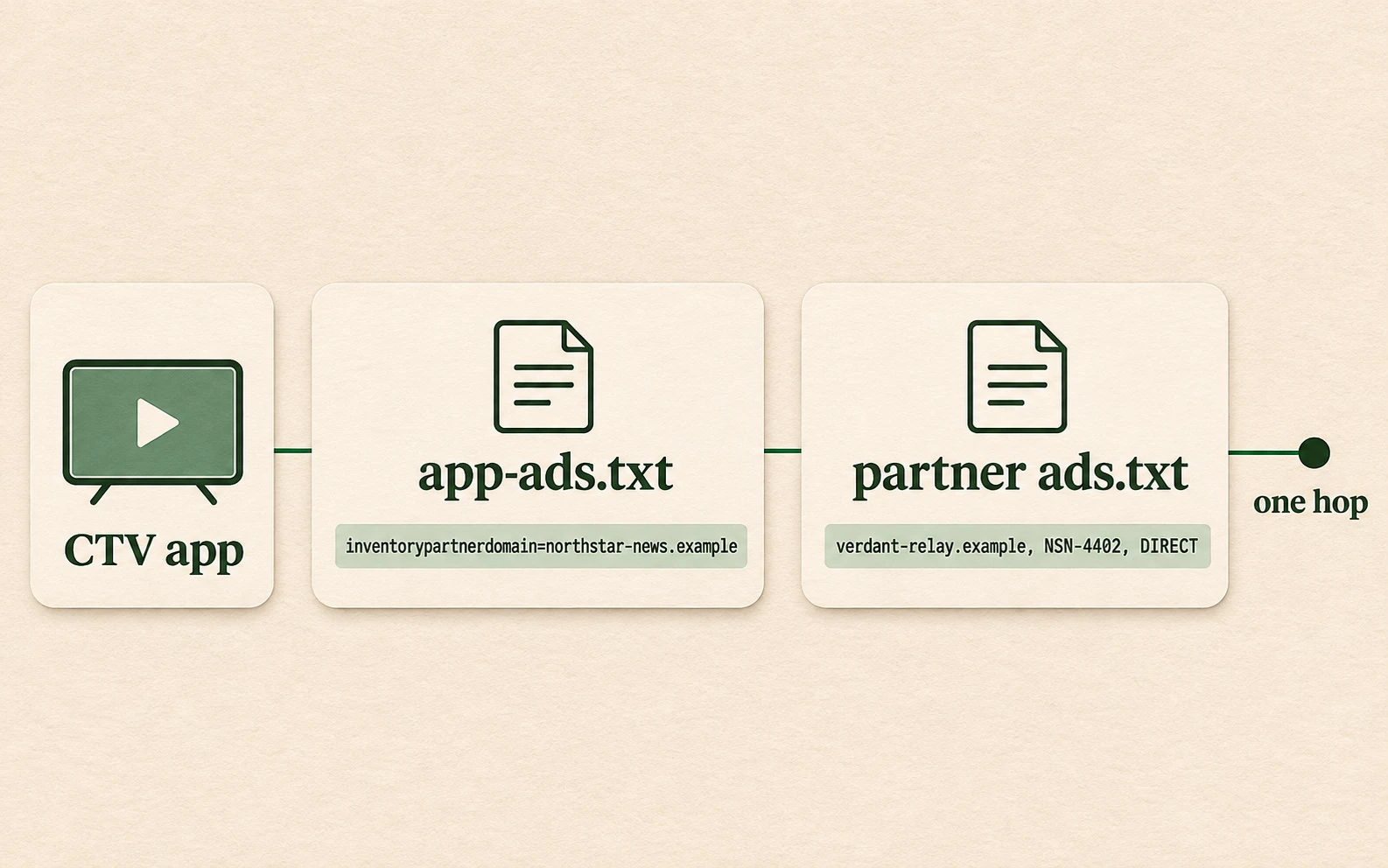
}The buyer first confirms that northstar-news.example appears as an InventoryPartnerDomain in Harbor Stream's app-ads.txt. It then checks Northstar News's root ads.txt, not another app-ads.txt, for the matching advertising system and seller account.
How a buyer validates the partner opportunity
- 01Resolve the developer domain
Use the app store listing or other applicable platform metadata to identify Harbor Stream's developer domain.
- 02Fetch the app's app-ads.txt
Confirm that
inventorypartnerdomain=northstar-news.exampleis present. - 03Compare the bid request
The value in
app.inventorypartnerdomainmust match the partner domain declared by the app. - 04Fetch the partner's ads.txt
Open
https://northstar-news.example/ads.txtand find the exact advertising system and account used in the request. - 05Stop after one hop
Do not follow another InventoryPartnerDomain from the partner's ads.txt. The specification limits this path to one level.
The bid names an InventoryPartnerDomain that is absent from the developer's app-ads.txt.
The directive matches, but a valid ads.txt cannot be retrieved from the partner domain.
The partner's valid ads.txt does not contain the advertising system and publisher ID from the request.
The app declaration, bid value and partner seller record reconcile.
What the field does not tell you
InventoryPartnerDomain describes authorization in an inventory-sharing arrangement, not the economics of the agreement.
It declares a partner with rights to sell some ad inventory. It does not establish title to the app, channel or show, or prove exclusivity.
The app, bundle and developer domain still describe where the opportunity originated.
InventoryPartnerDomain selects the authorization file. The SupplyChain Object declares the entities participating in the payment chain for the request.
InventoryPartnerDomain and schain answer different questions
inventorypartnerdomain points to the partner whose root ads.txt applies.
source.schain lists the participating advertising systems and seller IDs in order.
A trustworthy CTV opportunity can require both views. The InventoryPartnerDomain path should authorize the seller account, while schain should describe how that opportunity reached the buyer.
Sources and evidence
Definitions and validation behavior come from the IAB Tech Lab ads.txt 1.1 specification, the OpenRTB 2.6 specification, the app-ads.txt specification and the IAB Tech Lab CTV app-ads.txt explainer. Last reviewed 14 November 2026.
Every company name, account, domain and bid request in the examples is fictional. The .example top-level domain is reserved for documentation under RFC 2606.
This guide is general technical information, not legal or compliance advice. Verify the current primary specifications and your own records before making buying, selling or enforcement decisions.